

 sales@agilitz.com

Define the product attributes
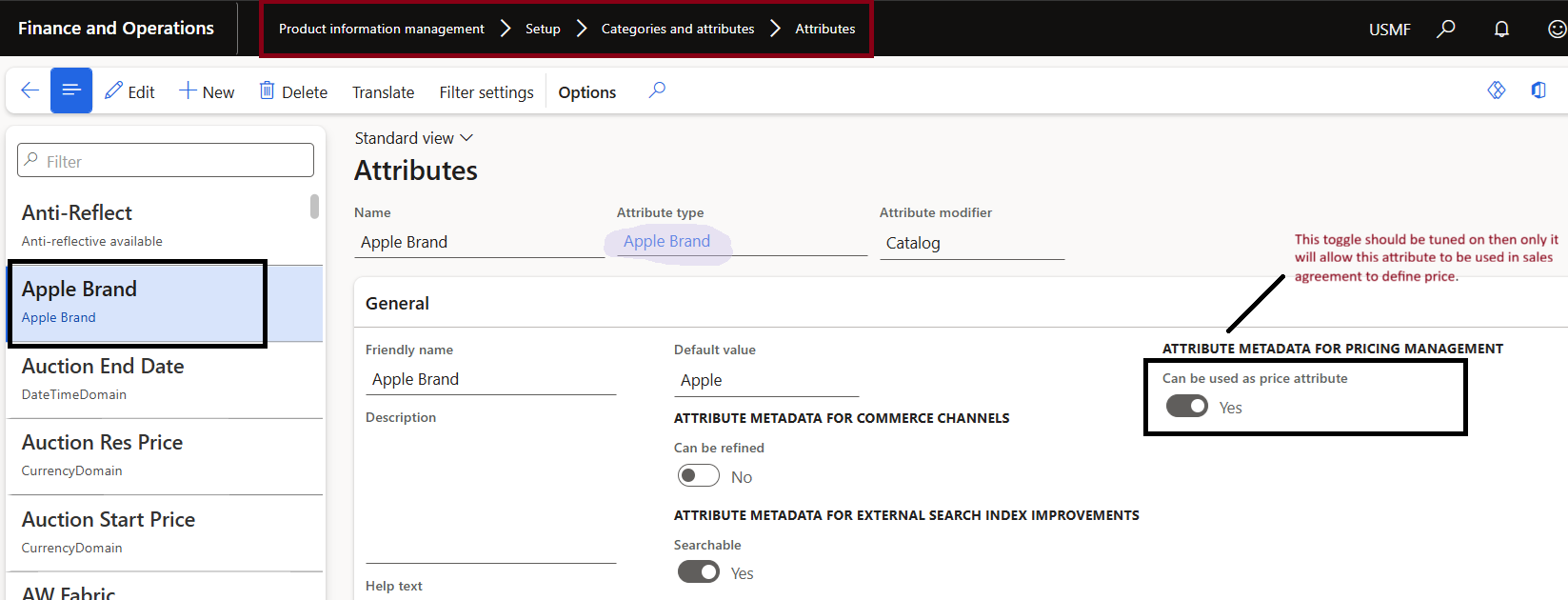
Identify which product properties genuinely affect the price. The example uses a product brand and category. Configure the appropriate attribute types and attributes, associate them with the relevant category structure, and verify the values on the released product.
Where required, enable the attribute for use as a price attribute. Avoid creating a new property when an existing, well-maintained product field already represents the business condition.
Create header and line attribute groups
A price attribute group collects the conditions used by pricing rules. Product-related conditions normally belong at line scope; customer or order conditions can belong at header scope. Use the matching scope that reflects where the value exists.
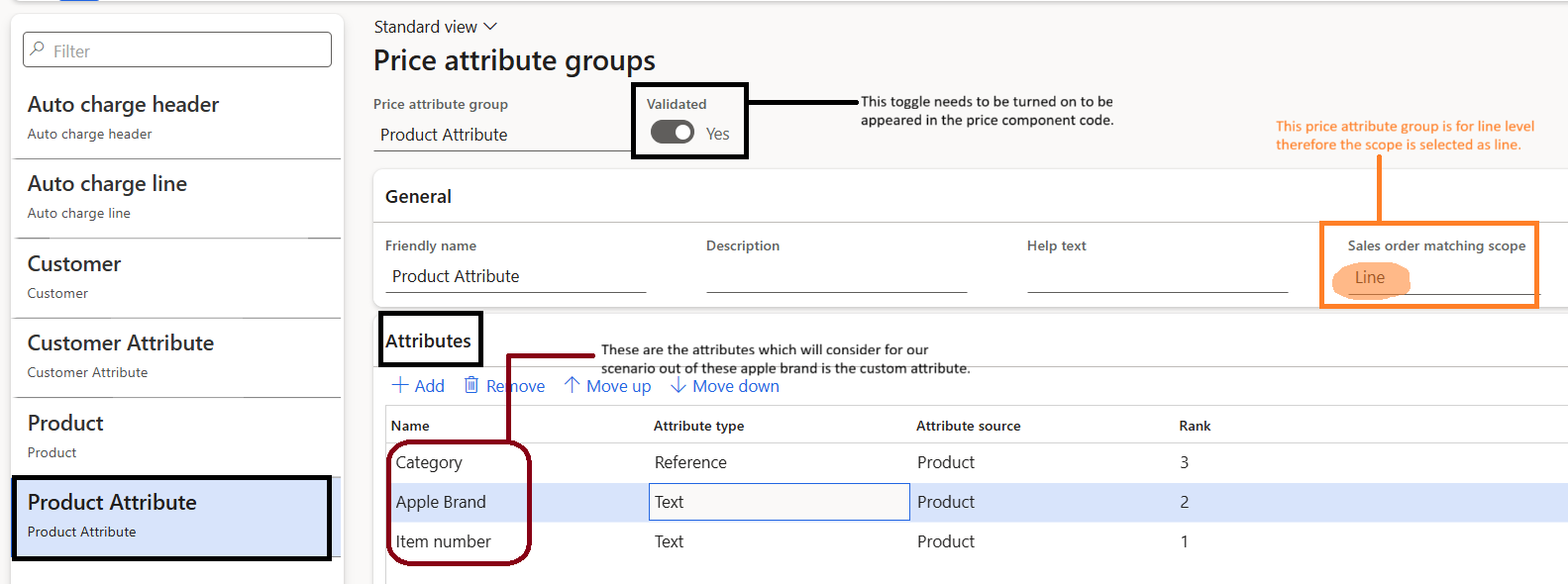
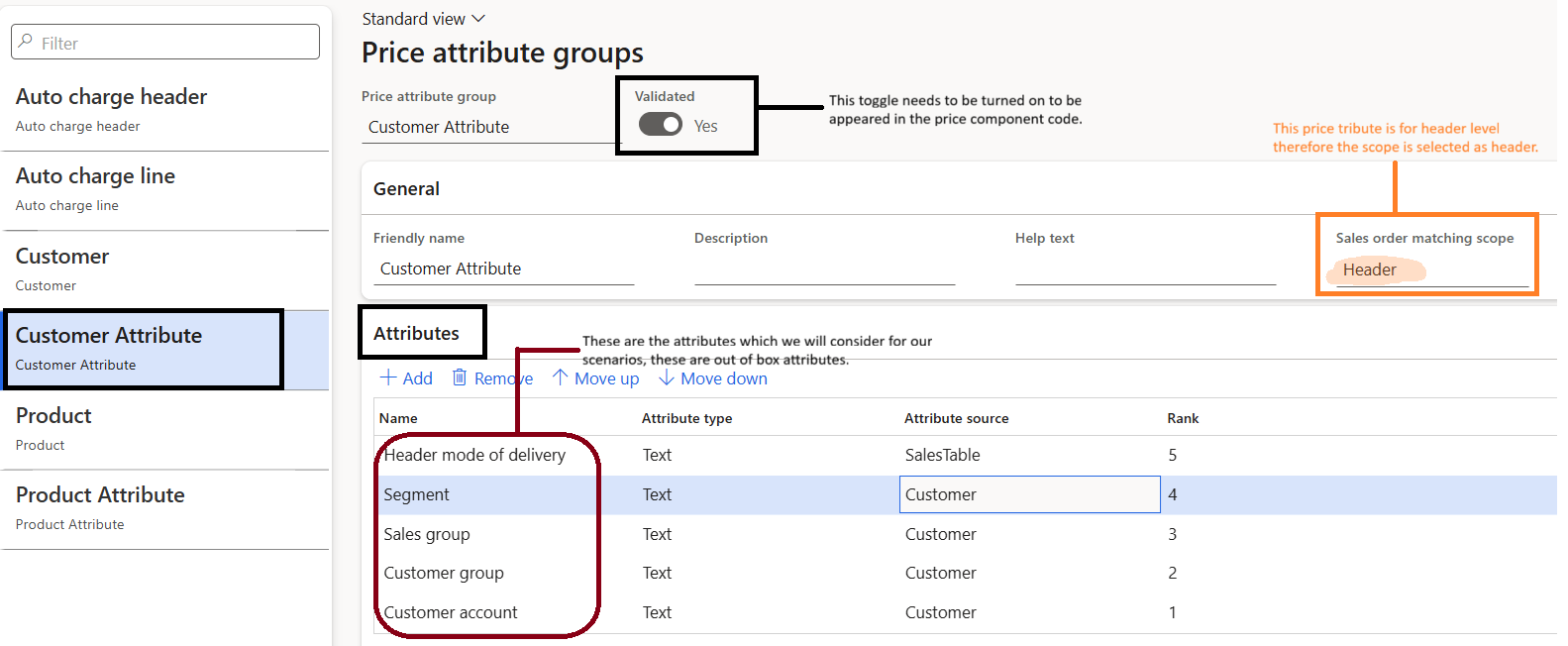
Keep the groups understandable. Record what each attribute means, who maintains it and what should happen when its value is missing. A rule based on an inconsistently populated field will produce inconsistent results even if its technical setup is correct.
Connect the price component codes
In Pricing management > Setup, configure the required price component codes. Link the appropriate header and line attribute groups for the sales trade agreement price, adjustment and discount components used in the design.
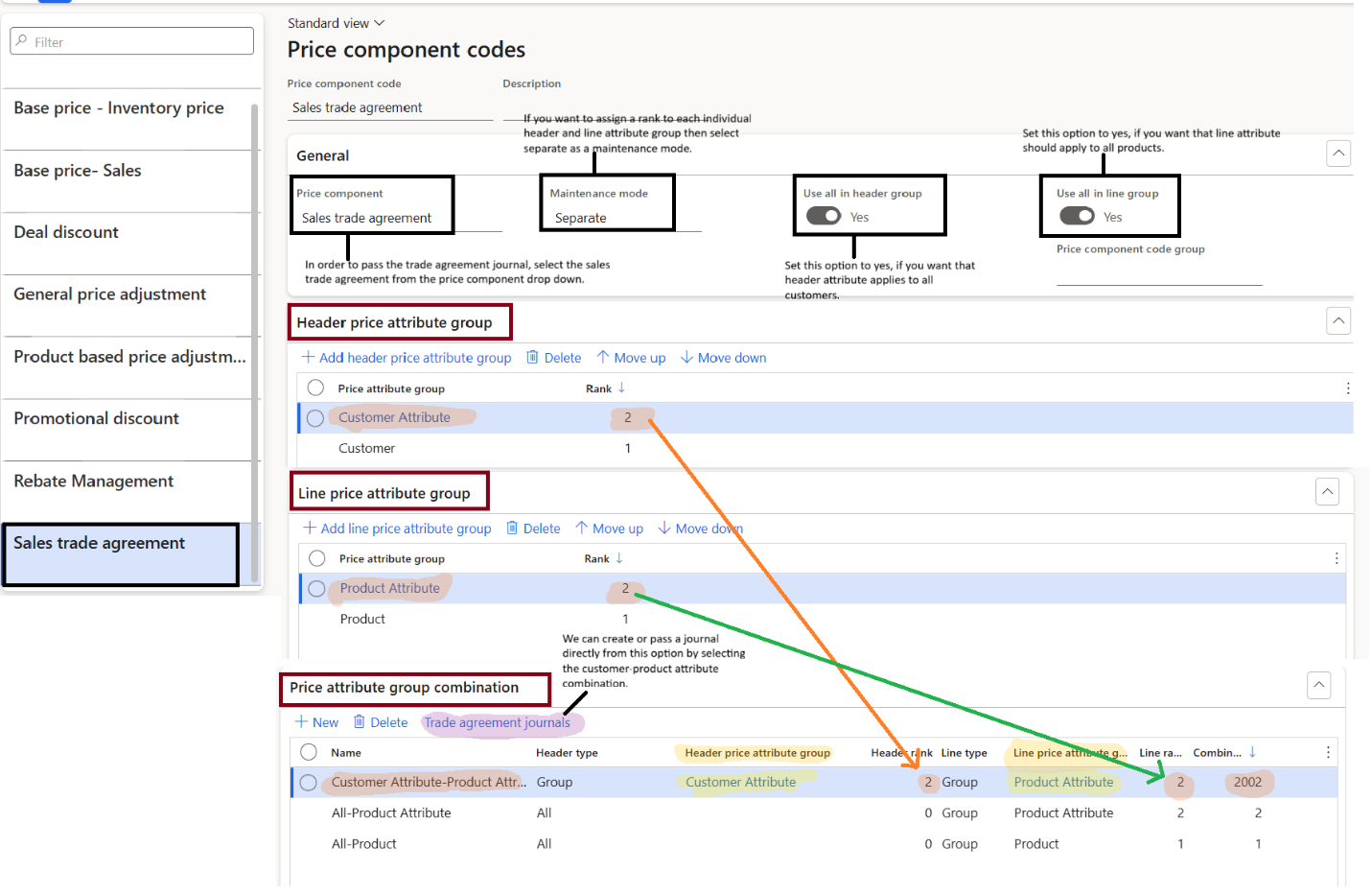
Review the combination ranks and concurrence settings together. For example, the default “find next” setting affects whether competing trade agreement prices are resolved through the lowest applicable price or the configured ranking logic. Do not assume the highest attribute rank always wins regardless of the parameters.
Arrange and test the price tree
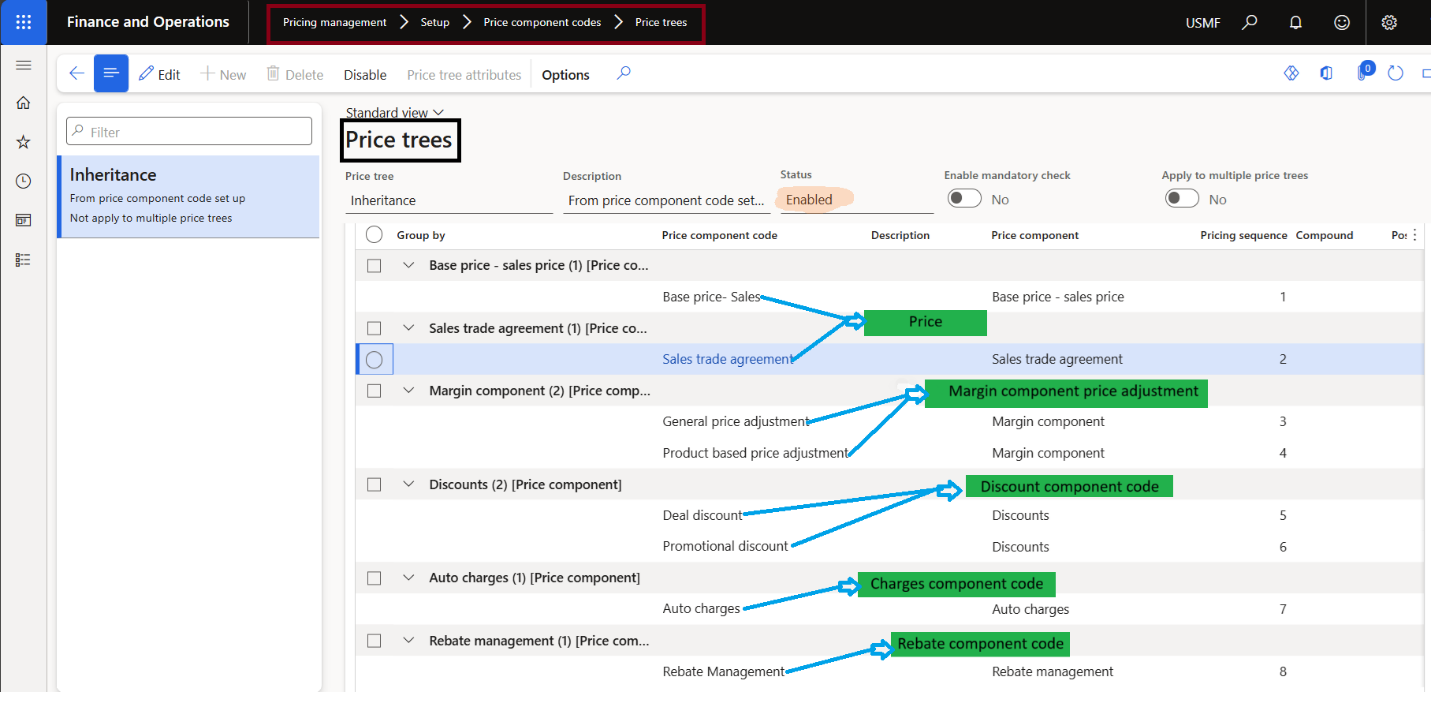
The price tree defines the components and their calculation sequence. Confirm that the intended base price, adjustment and discount can all participate, and review settings that allow or prevent further adjustments and discounts.
- Test a qualifying customer and a non-qualifying customer.
- Change the delivery mode and region independently.
- Check effective dates, currency, unit and quantity.
- Inspect the price details for every test result.
A small, explicit test matrix is more useful than checking a single successful order. Part 3 applies that approach to the three pricing scenarios.
Further reading
For current feature availability, prerequisites and detailed configuration, refer to Microsoft Learn.
Screenshots and scenarios are illustrative. Interface labels and available features can vary by application version and environment.