

 sales@agilitz.com

Define the Region values
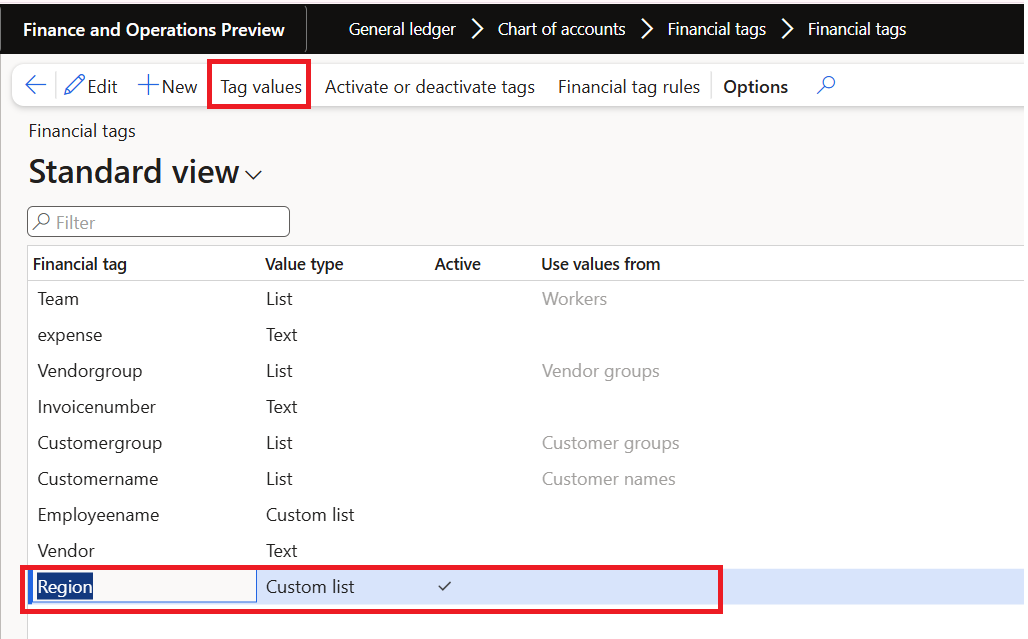
Create and activate a Region tag with values such as East, West, North and South. The example uses a Custom list, which offers values for selection without making the list a strict validation rule.
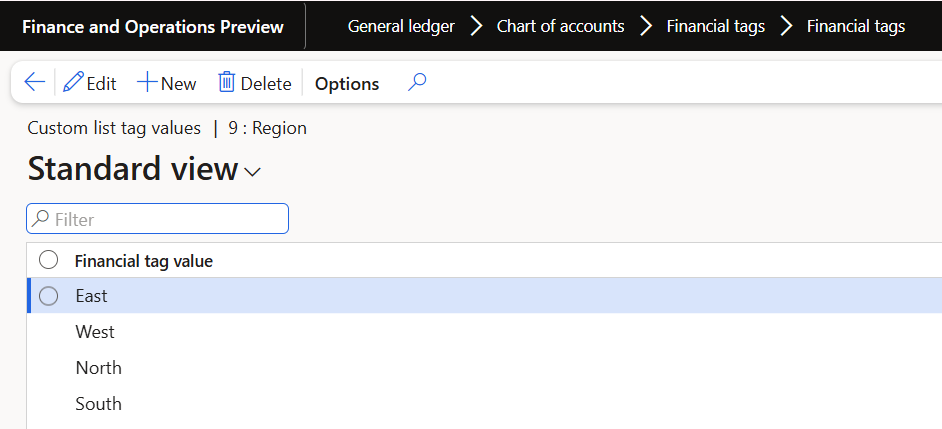
If the rule uses Other as a fallback, consider that value explicitly. With an ordinary Custom list, a value outside the suggested list can be entered. With a Fixed custom list, include Other in the allowed values if the fallback is required.
Create the sales order rule
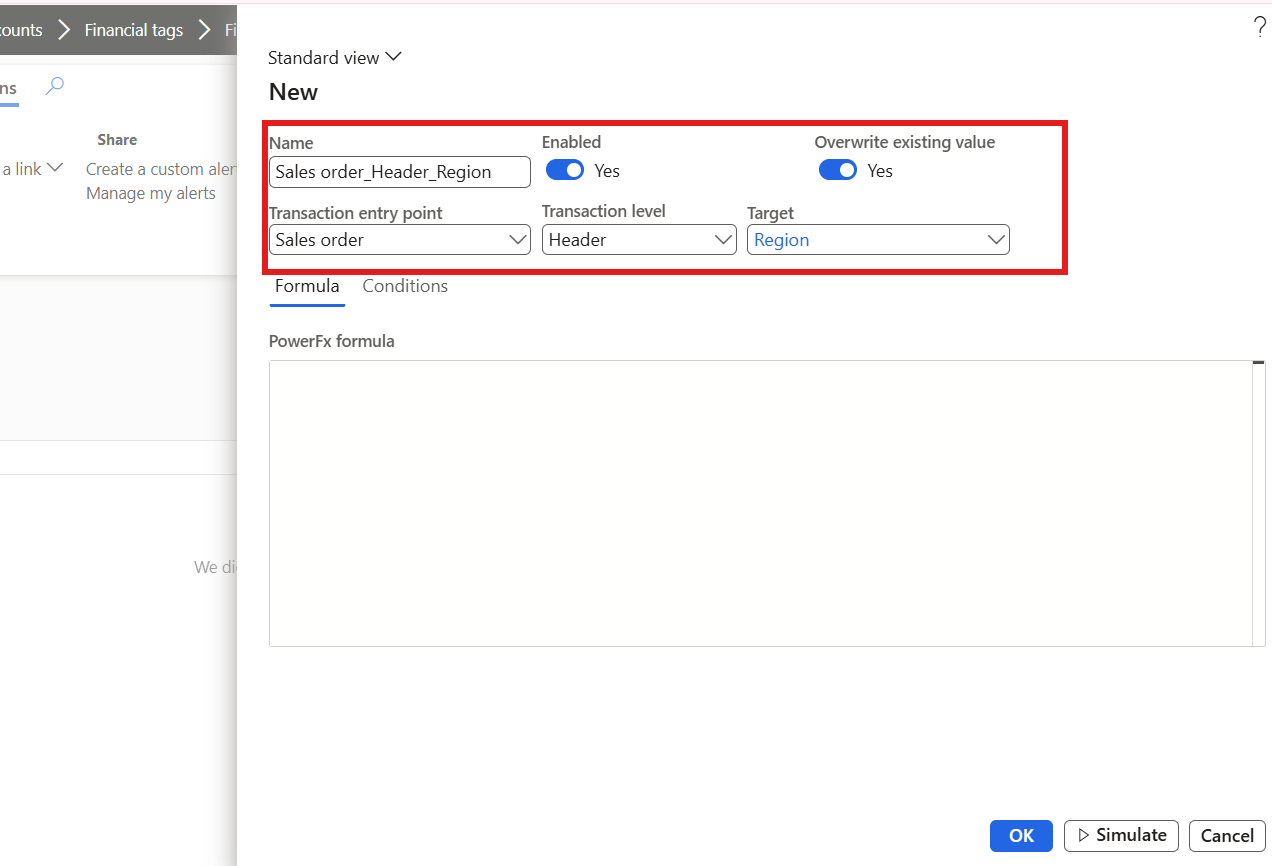
Select Sales order as the transaction entry point, the intended header level, and Region as the target. Define the customer-group conditions and the default outcome. Review whether the rule should overwrite an existing value.
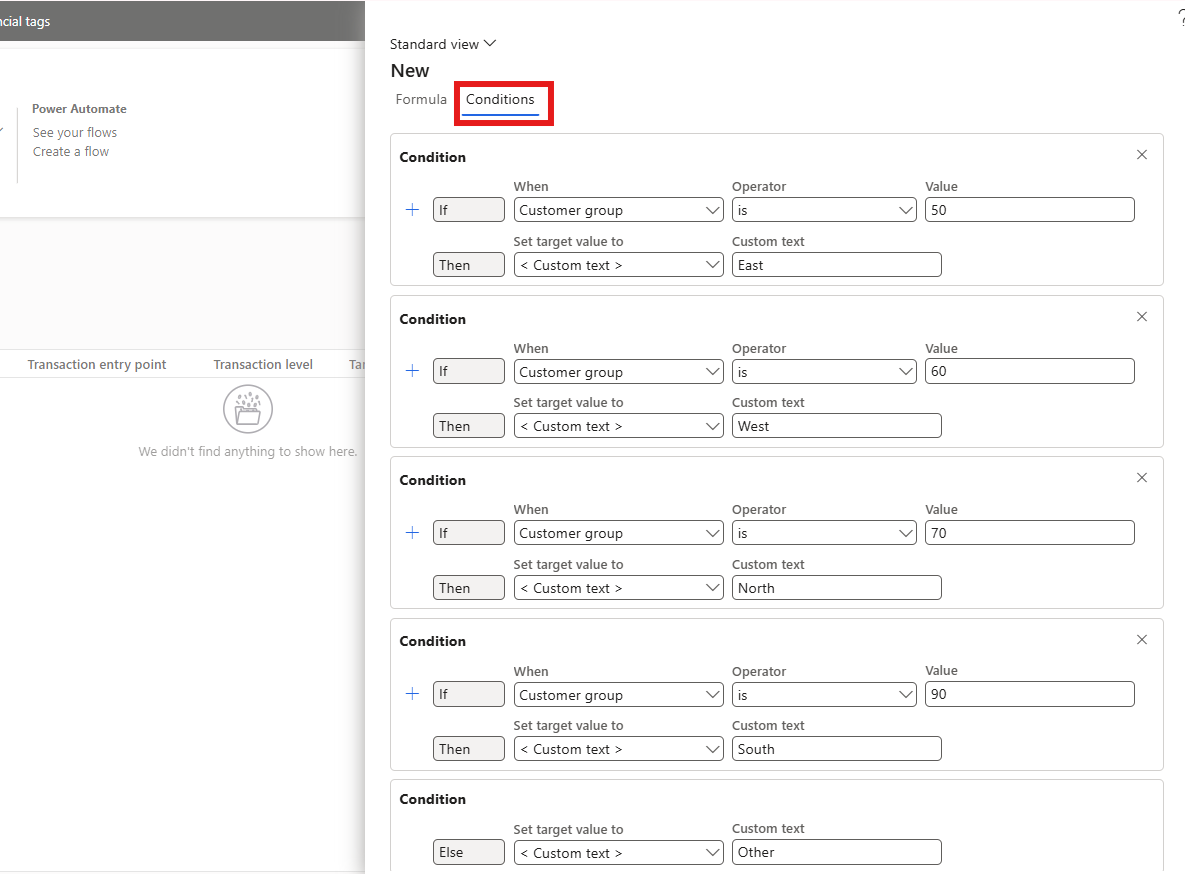
The sample maps groups 50, 60, 70 and 90 to the four regions. These are demonstration identifiers, not a recommended customer-group design. Use the organisation’s actual classification and ownership rules.
Test creation and subsequent changes
- Create a sales order for a customer in a qualifying group.
- Inspect the Region tag on the header.
- Change a relevant source field and save the record.
- Check the effect on existing lines and any manually entered tag value.
- Repeat the test for an unrecognised customer group.
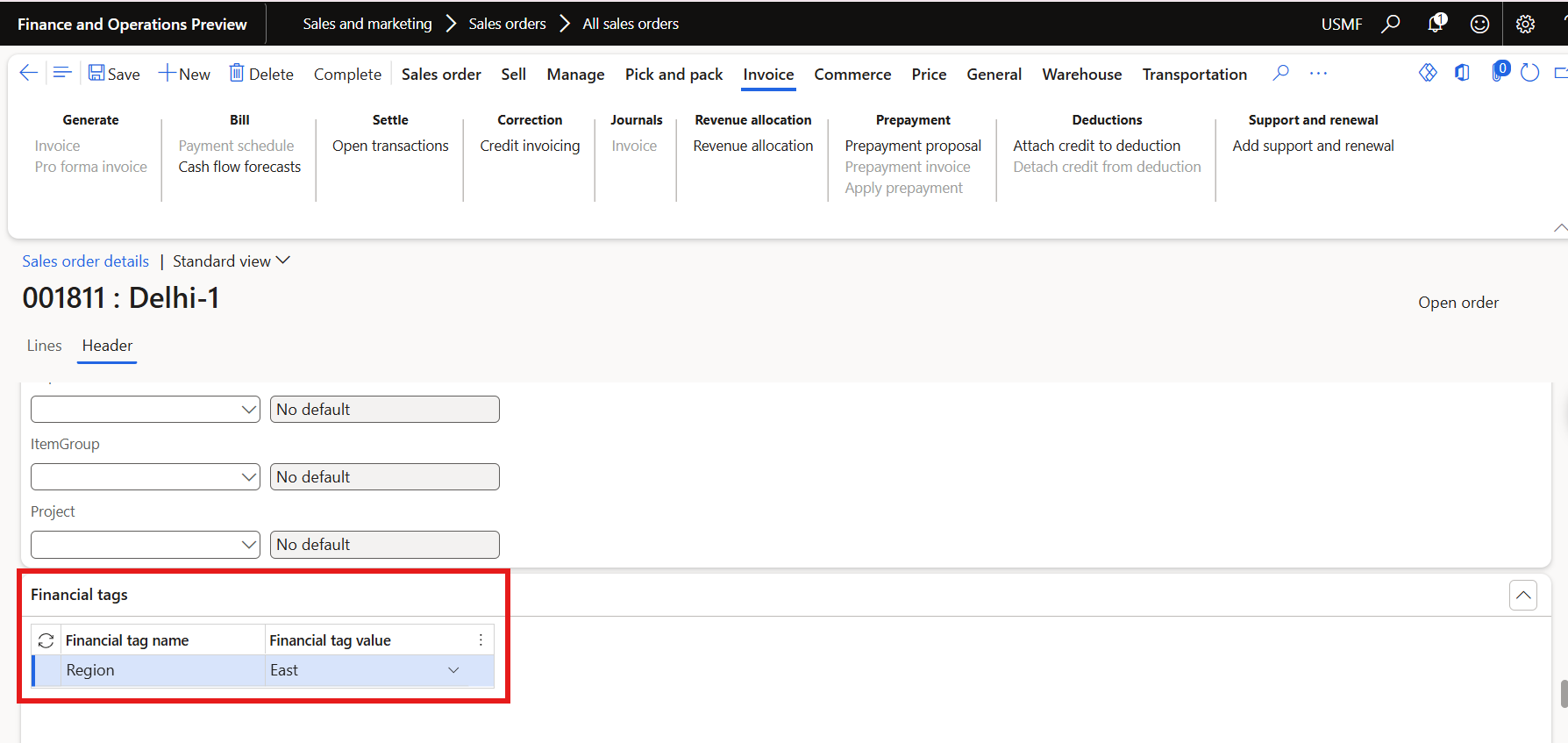
Enabling a rule does not mean every existing document is immediately updated. Defaulting runs at the supported lifecycle events. Header changes also do not necessarily flow into existing lines without the appropriate rule or manual update.
Verify the posted result
Complete the relevant sales order process and inspect the posted voucher. Check that the expected Region value appears on the accounting entries, rather than assuming the header result proves end-to-end propagation.
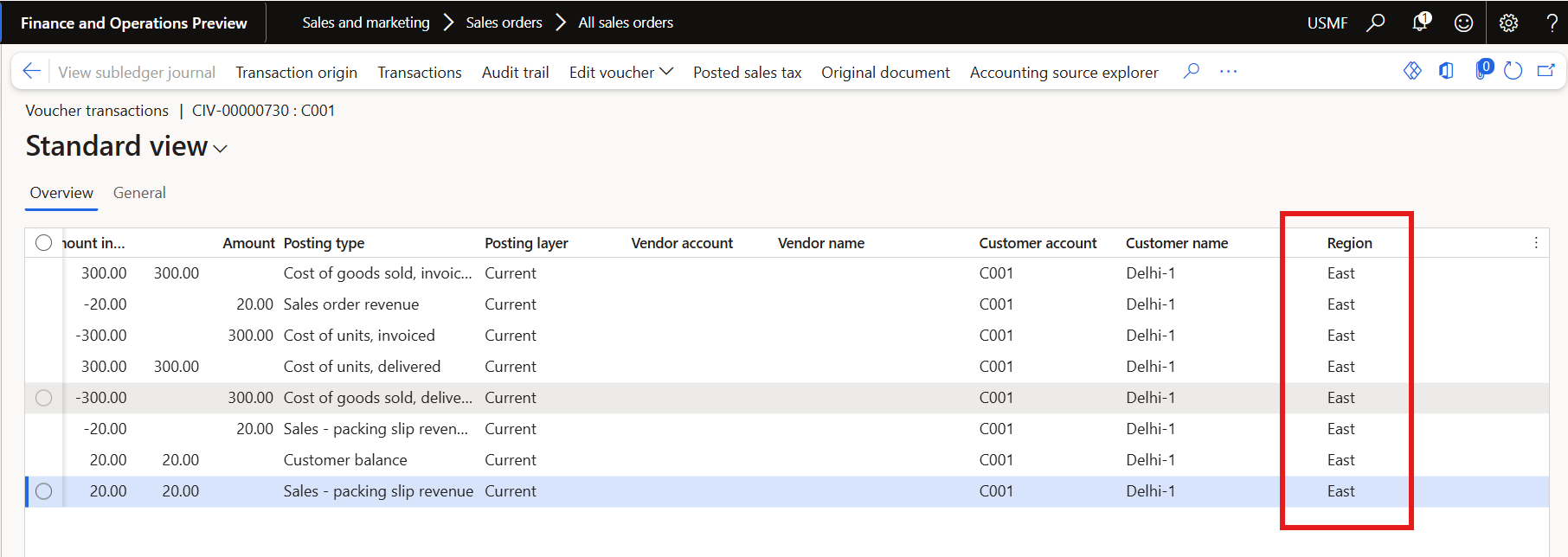
Confirm the Financial tags and defaulting features, along with Enable financial tags for sales order invoicing where required. Test reversals and corrections as part of acceptance, and retain the expected results for each case.
Further reading
For current feature availability, prerequisites and detailed configuration, refer to Microsoft Learn.
Screenshots and scenarios are illustrative. Interface labels and available features can vary by application version and environment.