

 sales@agilitz.com

Understand the scope
The workspace covers accounts payable, accounts receivable, bank and tax reconciliation areas. Processing runs on a defined schedule. It should not be described as a guaranteed real-time service, and an agent recommendation is not proof that a financial correction has been posted.
Check the deployment prerequisites
Current Microsoft guidance lists Dynamics 365 Finance 10.0.46 or later. It also requires Immersive Home, Agent management and the Account reconciliation agent preview feature, with the relevant Copilot packages installed in Power Platform.
Use the currently documented package versions, environment connections and agent identity roles. Dataverse and Copilot Studio connections are part of the setup; a Finance Data Lake connection is not a substitute for them. Confirm capacity, permissions and applicable data policies with the administrator.
Configure the reconciliation areas
Review the posting profiles and control accounts used by the participating subledgers. An incorrect account mapping can create misleading exceptions or leave relevant postings outside the intended comparison.
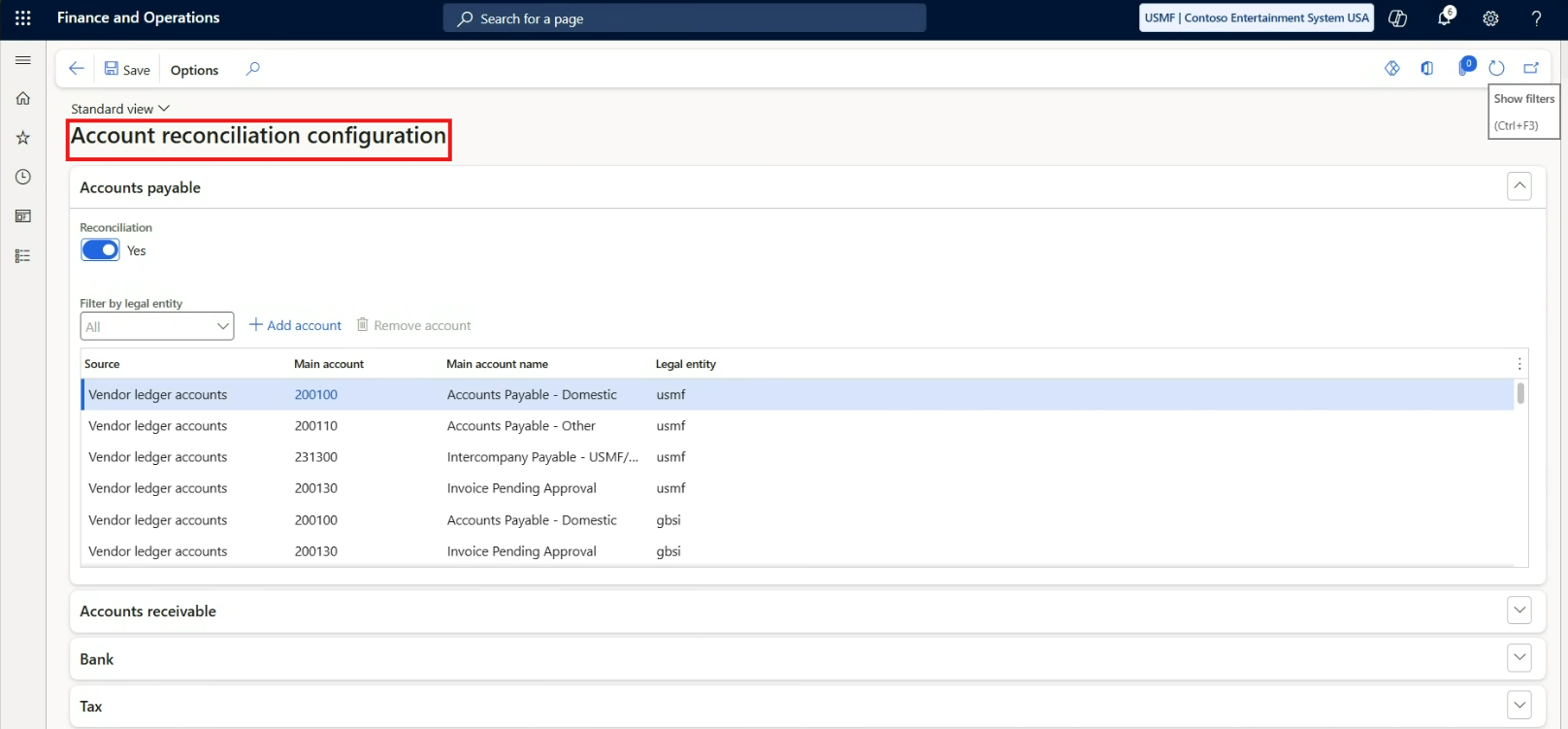
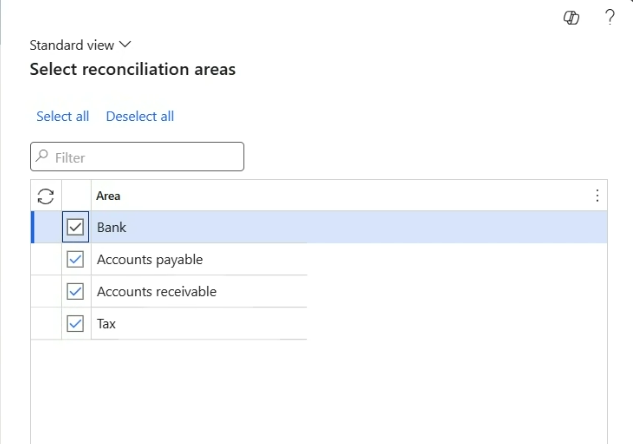
Start with a clearly defined period and reconcile the expected accounts manually as a baseline. Introduce a known difference in a test environment so that the team can confirm how it appears in the workspace.
Schedule and monitor processing
Review the automatic account reconciliation process and its recurrence in Process automation. Choose a frequency that supports the close process and the environment’s operating schedule. Do not assume that the timing observed in a demonstration is a service guarantee.
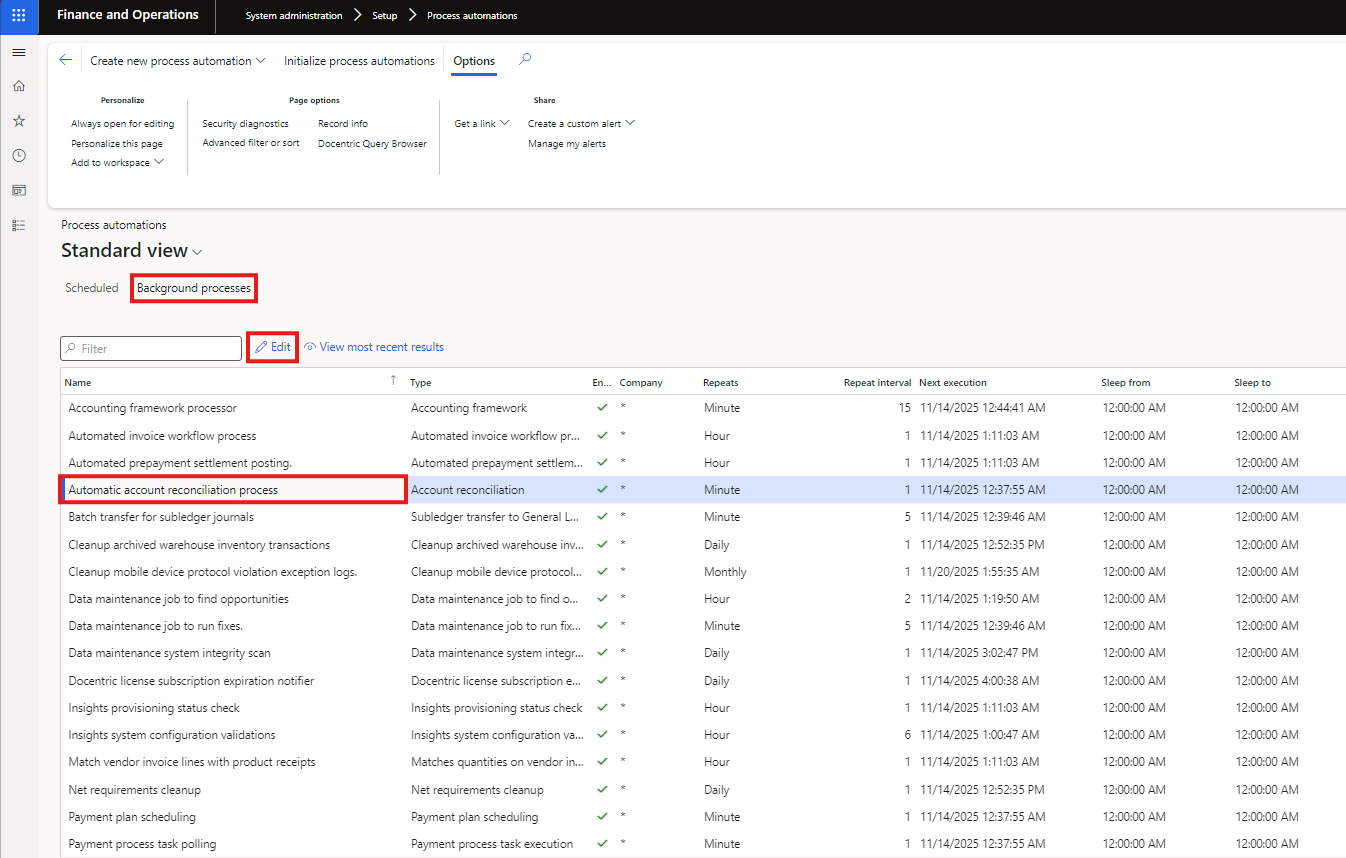
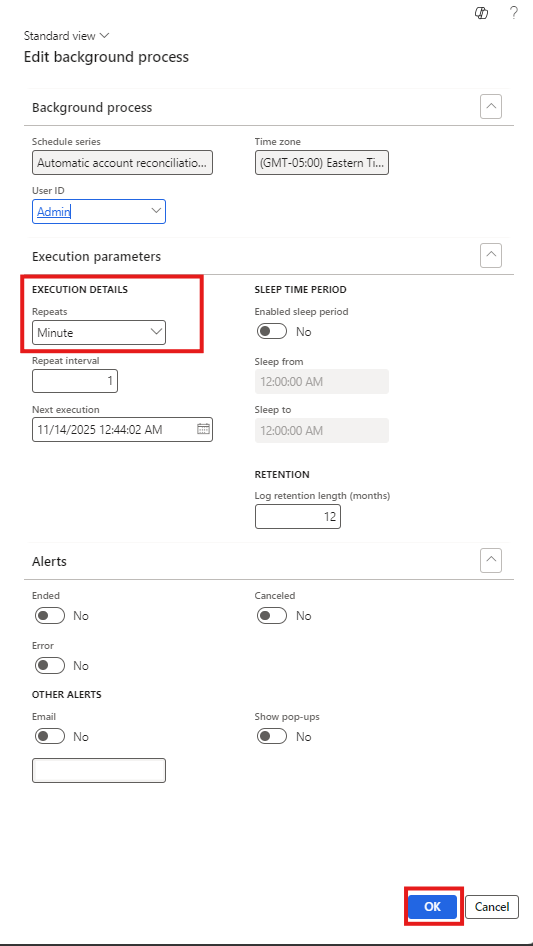
Monitor completion and exception counts. Establish who reviews recommendations, who can post correcting entries and how the outcome is evidenced. Part 2 follows the exception investigation workflow and explains why an addressed status must be checked against the accounting result.
Further reading
For current feature availability, prerequisites and detailed configuration, refer to Microsoft Learn.
Screenshots and scenarios are illustrative. Interface labels and available features can vary by application version and environment.