

 sales@agilitz.com
Read the workspace in context
Select the relevant period and reconciliation area. A fully reconciled result means the process found no differences within that comparison; it is not a substitute for all close controls. Open exceptions identify transactions that require further review.
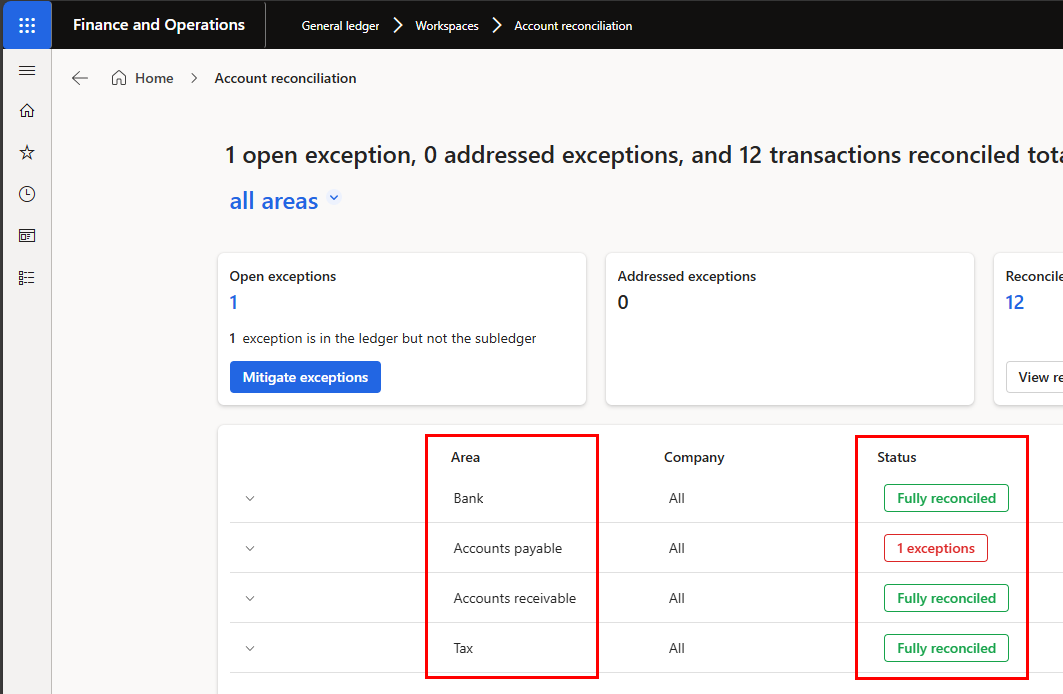
In the example, direct postings to a vendor control account produced differences between the general ledger and subledger. The time taken to surface a difference depends on the configured processing schedule and successful job completion.
Choose an action based on the evidence
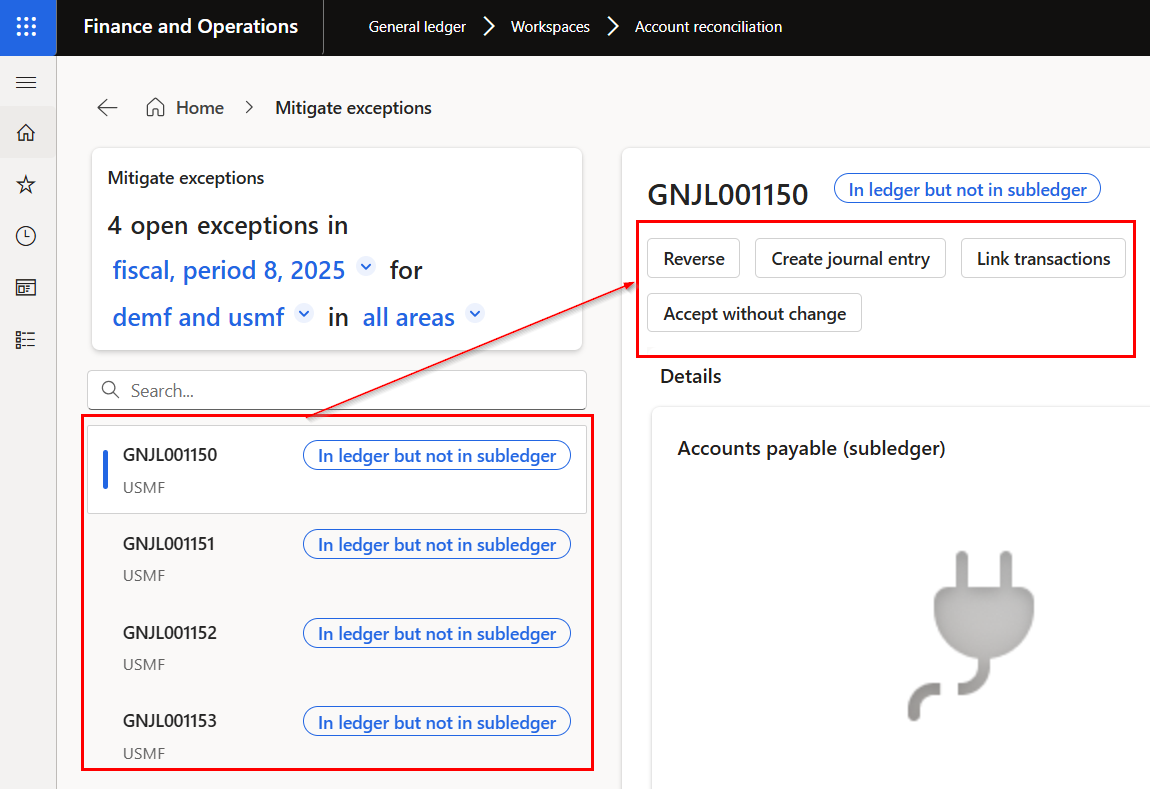
- Reverse: inspect the original transaction and complete an appropriate reversal.
- Create journal entry: prepare and review a correcting journal.
- Link transactions: investigate related entries and any subledger transfer timing.
- Accept without change: document why the difference is valid and needs no financial correction.
Do not accept a difference simply to clear the queue. Record the reason and supporting evidence, especially where a direct general ledger posting affects a control account.
Separate workflow status from accounting completion
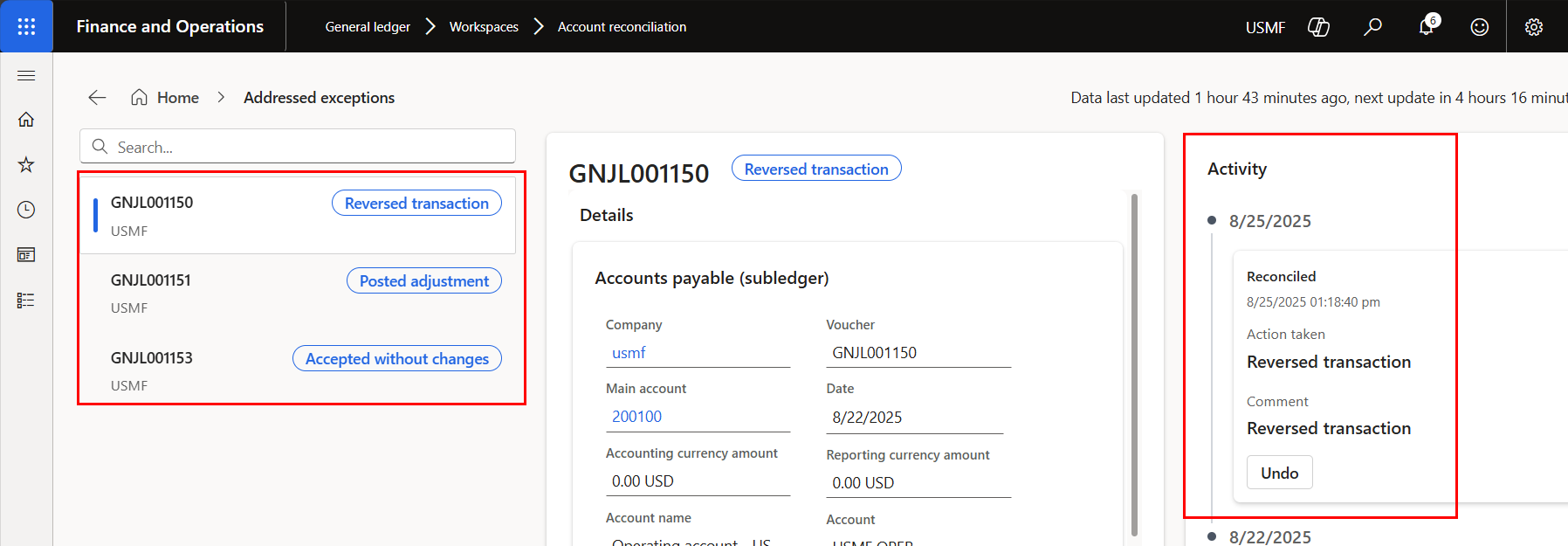
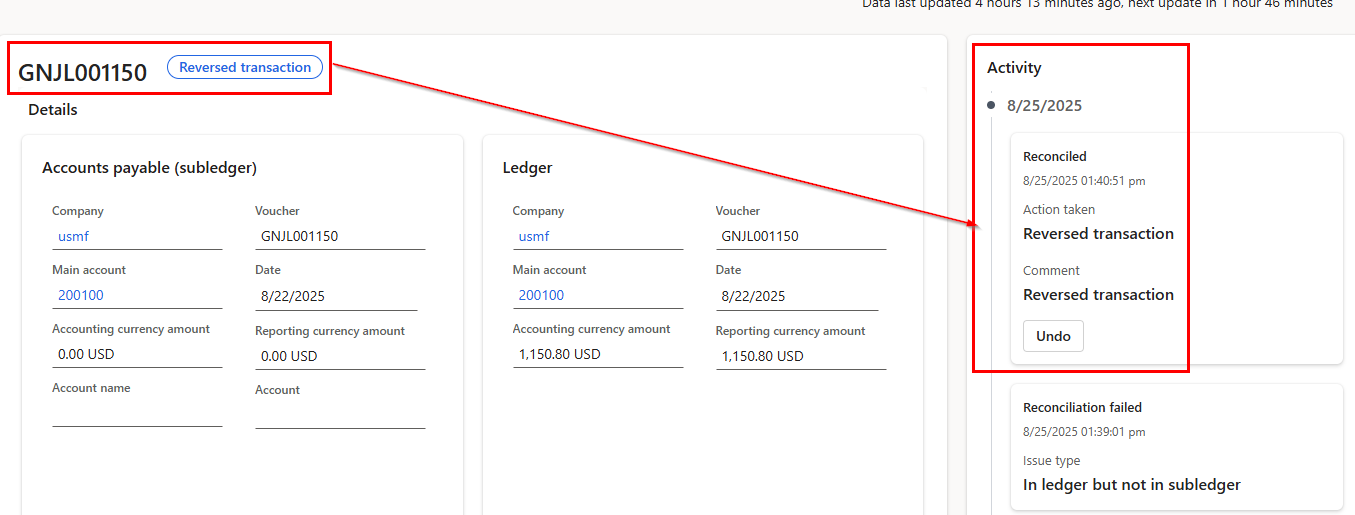
In the illustrative walkthrough, selecting a reversal action could mark an exception as addressed before the reversal was completed. Treat that as a version-specific observation to verify in your environment, rather than a universal product guarantee.
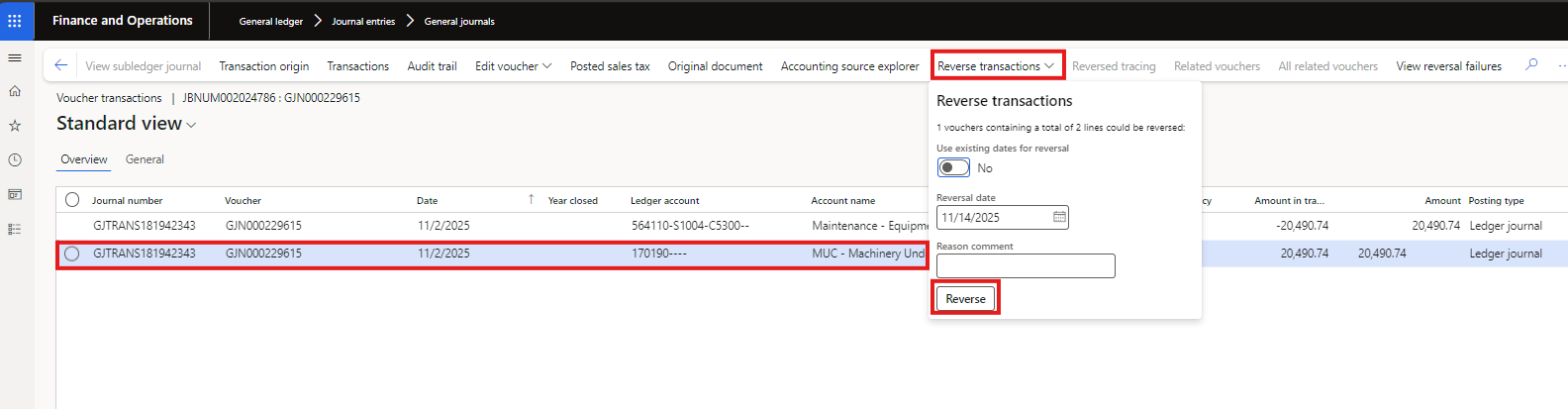
Check the resulting voucher, journal status and reconciled balance. If the intended correction was not completed, use the available activity controls to revisit the exception rather than assuming that the addressed label means the books have changed.
Close the investigation loop
Review outstanding and addressed exceptions together. Confirm that corrections were posted to the appropriate period and that later processing reflects the expected result. Keep the original difference, the decision and the completed posting traceable.
Suggested actions remain assistive. Accepting an exception does not, by itself, establish that the agent has learned a new accounting rule. Review current release information separately rather than relying on an undated roadmap image.
Further reading
For current feature availability, prerequisites and detailed configuration, refer to Microsoft Learn.
Screenshots and scenarios are illustrative. Interface labels and available features can vary by application version and environment.