

 sales@agilitz.com

Understand the three capabilities
Subscription billing brings together recurring contract billing, revenue and expense deferrals, and multiple element revenue allocation. They address related questions: what is invoiced, when amounts are recognised, and how a contract value is allocated across deliverables.
This first article covers billing schedules. Parts 2 and 3 explain deferrals and allocation. Before enabling Subscription billing, review the existing Revenue recognition feature and any migration implications; the two features cannot be used together.
Define schedule defaults
A billing schedule group supplies defaults such as billing frequency, interval, item type and pricing method. Create groups that reflect real contract patterns, then review the values on each new schedule.
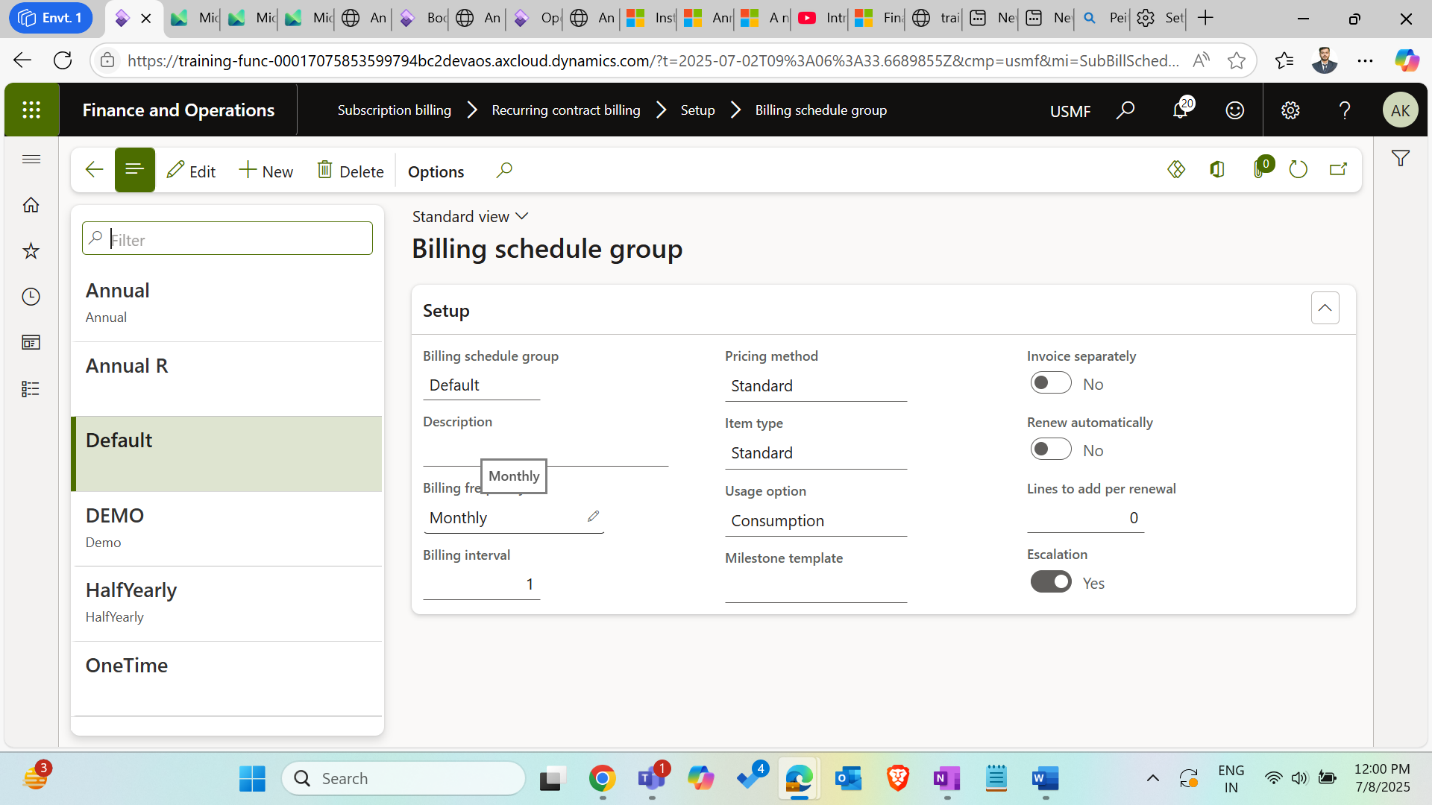
- Standard pricing uses the applicable standard pricing setup.
- Flat pricing uses the amount entered for the schedule line.
- Tier pricing applies brackets progressively.
- Flat tier pricing uses the extended price associated with the bracket containing the billing quantity.
Keep the item type separate from the pricing method. A standard item has a fixed quantity. Usage and consumption scenarios record metered readings or quantities consumed. Milestone billing follows the relevant milestone setup.
Create a recurring service schedule
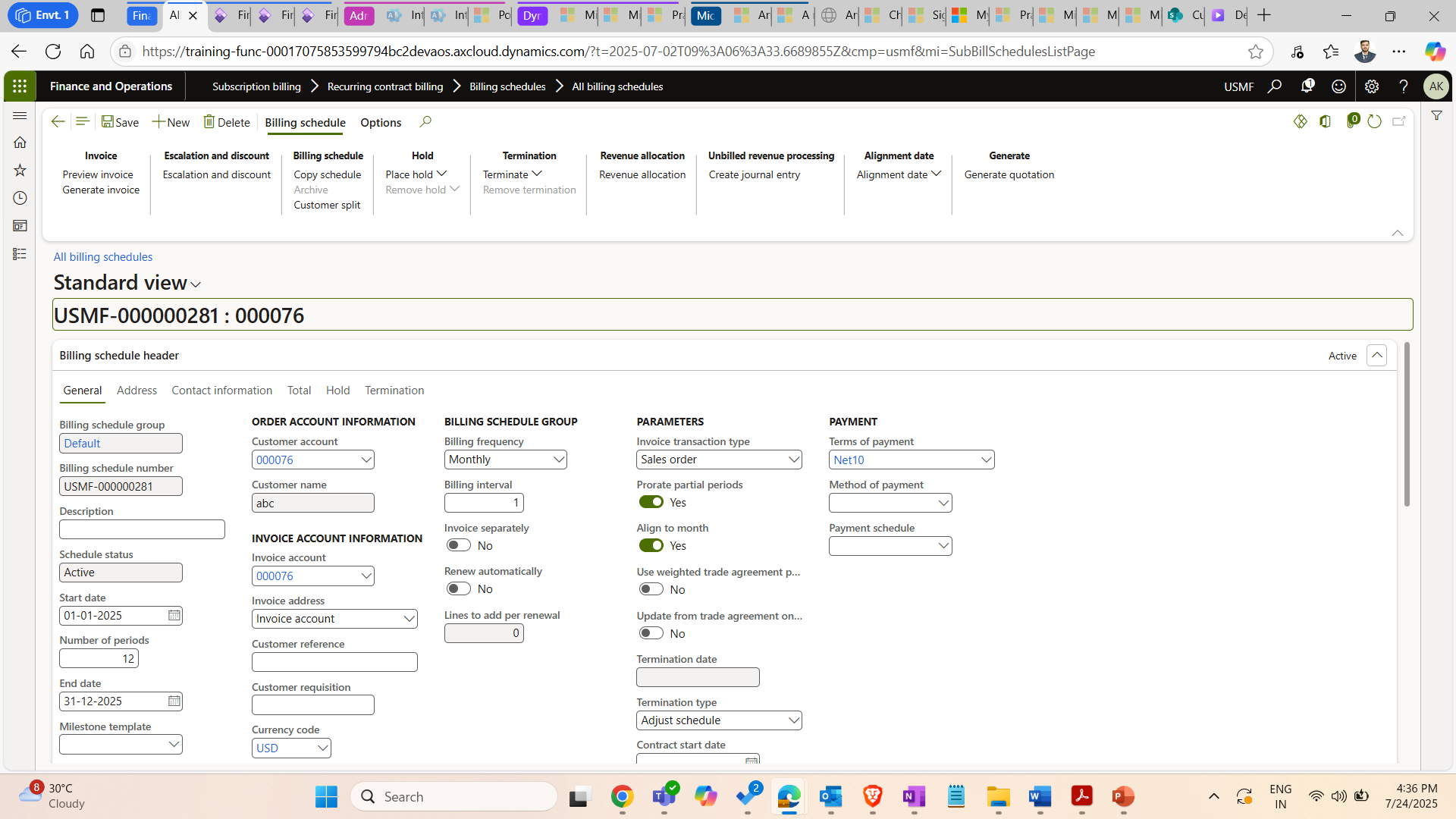
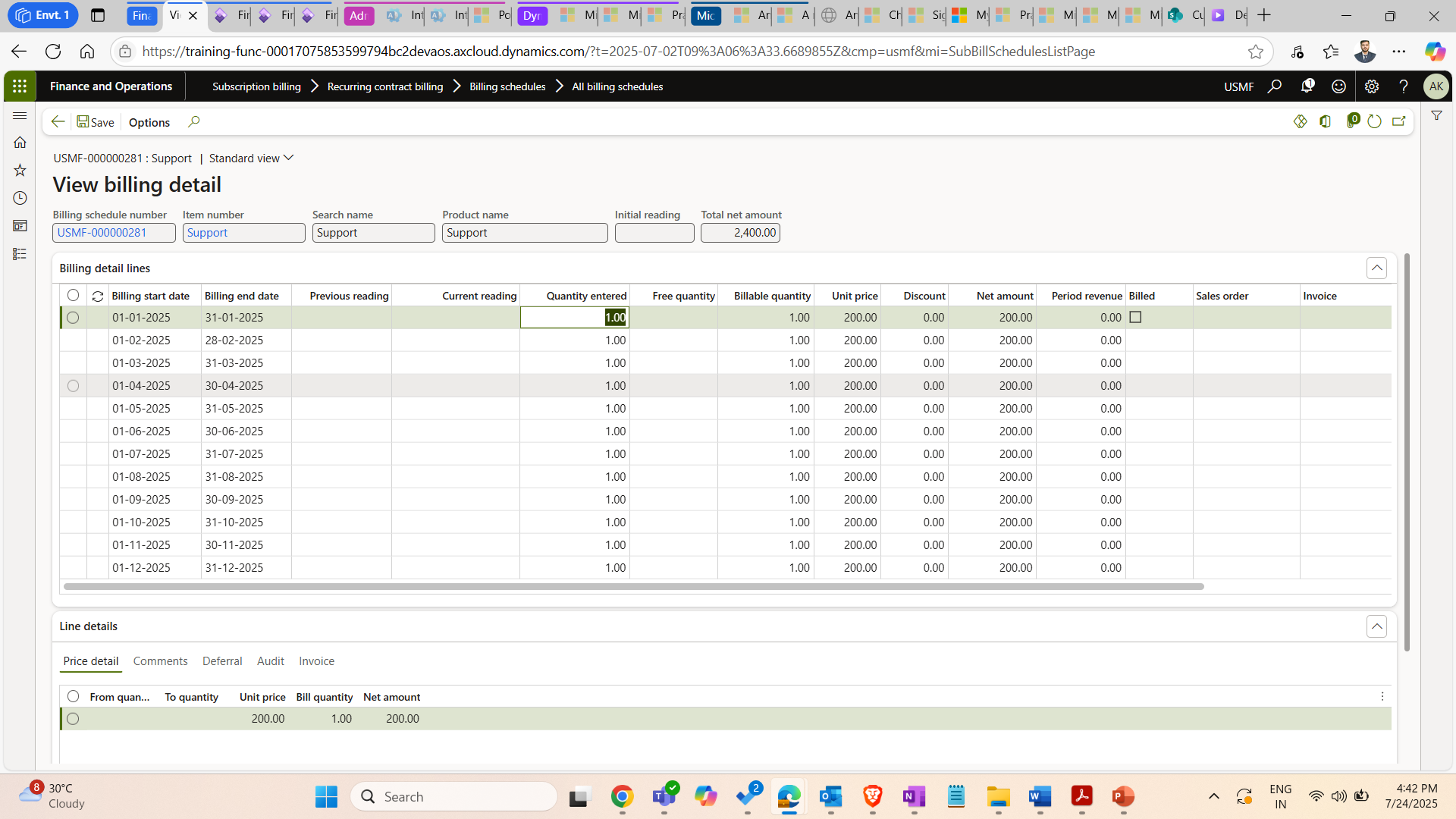
Consider an illustrative 12-month support contract billed at USD 200 per month. The billing schedule should capture the customer, contract dates, frequency, service item, quantity and price. The example describes a contract pattern, not a customer implementation.
- Create the billing schedule and select the appropriate group.
- Check the start and end dates, billing frequency and renewal settings.
- Add the support service line and review the inherited pricing.
- Open the billing details to inspect the planned periods and amounts.
Generate invoices and verify the result
Generate billing for the intended periods using the configured invoice process. Check which sales orders and invoices were produced, their posting status and any exceptions. Scheduling a process does not remove the need to monitor failed or incomplete billing.
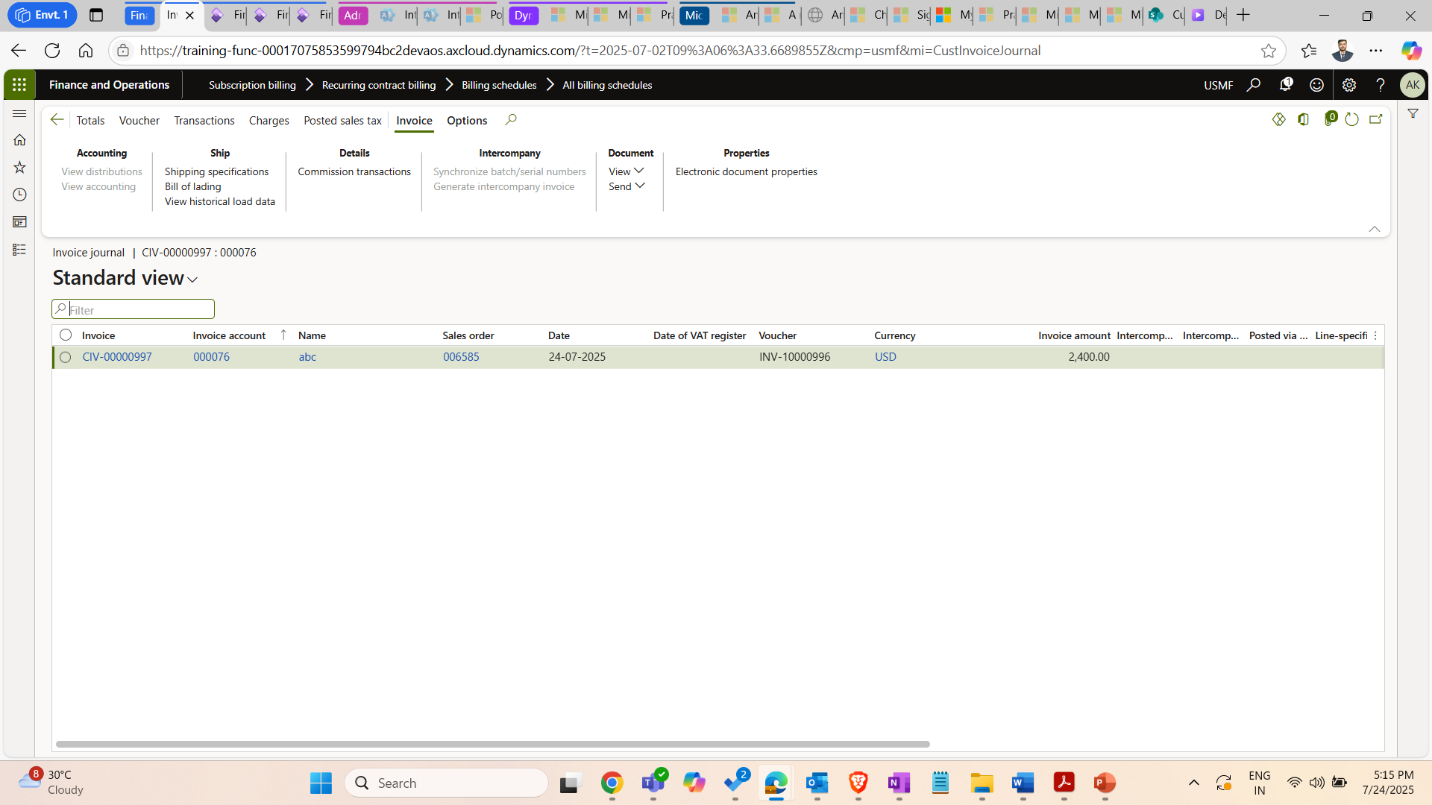
For the support example, check that the expected monthly period is billed once, for the correct customer and amount. Also test a change to the contract, a termination and a renewal before using the setup widely. Contract invoicing and revenue recognition are separate decisions, which the next article explores.
Further reading
For current feature availability, prerequisites and detailed configuration, refer to Microsoft Learn.
Screenshots and scenarios are illustrative. Interface labels and available features can vary by application version and environment.