

 sales@agilitz.com

Start with the bank account
Confirm the bank account, statement import format and reconciliation settings before configuring matching rules. Use the appropriate bank identifiers and statement mapping for the bank and country involved. Where the worksheet will generate customer or vendor payments, check the default journal names and posting setup as well.

If an environment already uses advanced bank reconciliation, review the supported upgrade process before enabling a different experience. Test imported statements and existing rules in a non-production environment first.
Define matching rules deliberately
A rule filters statement lines and Finance bank transactions, then performs a configured action. Match on a combination of amount, date, document reference and transaction type rather than relying on one weak identifier.
- One-to-one matching pairs individual statement and Finance transactions.
- One-to-many, many-to-one and many-to-many matching support grouped transactions.
- Reversal rules can identify offsetting entries.
- Voucher and payment actions require the relevant accounts, journal defaults and number sequences.
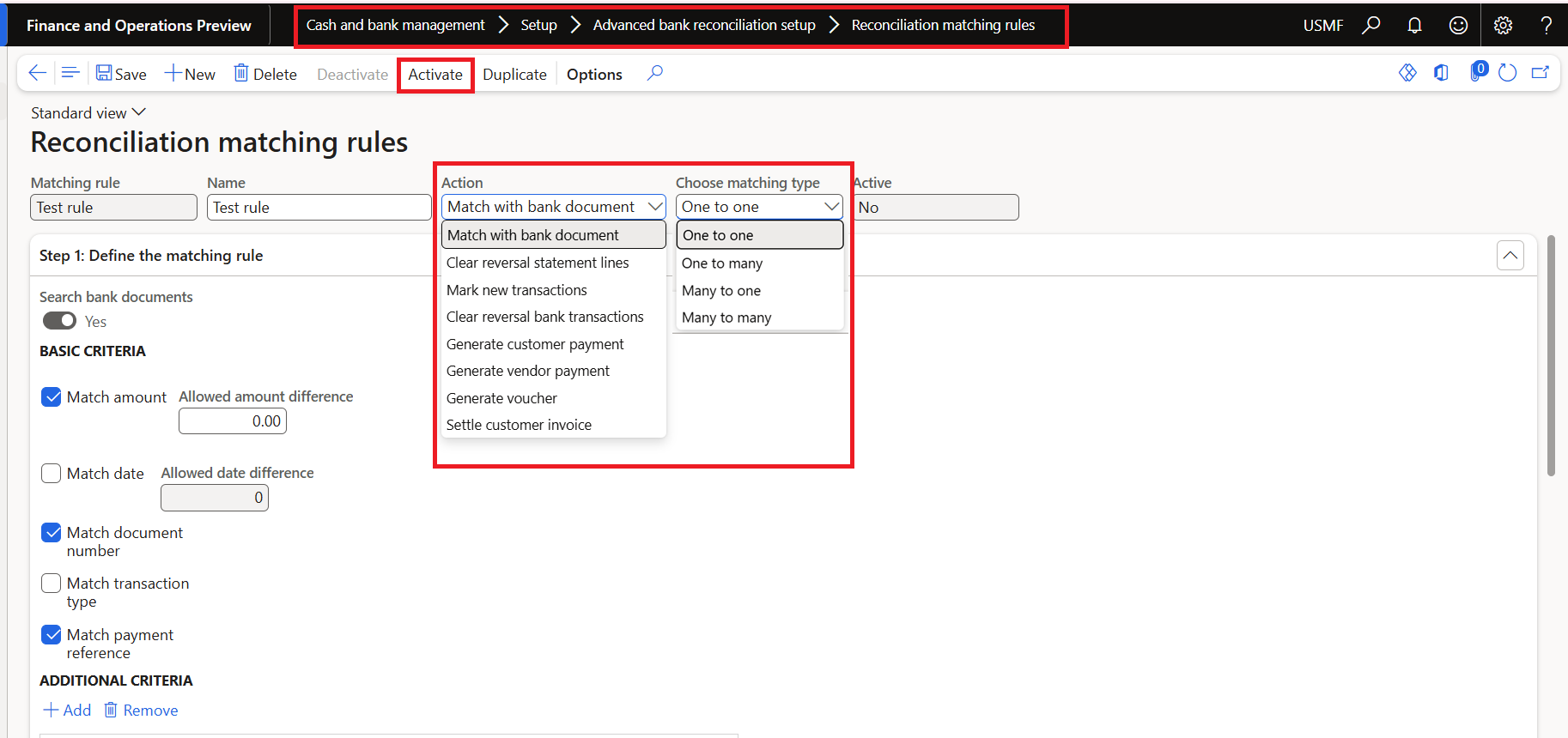
Group rules into a rule set and review their execution order. Apply the most specific rules before broad rules, and test ambiguous references and repeated amounts. A convenient match is not necessarily the correct accounting match.
Import and investigate the statement
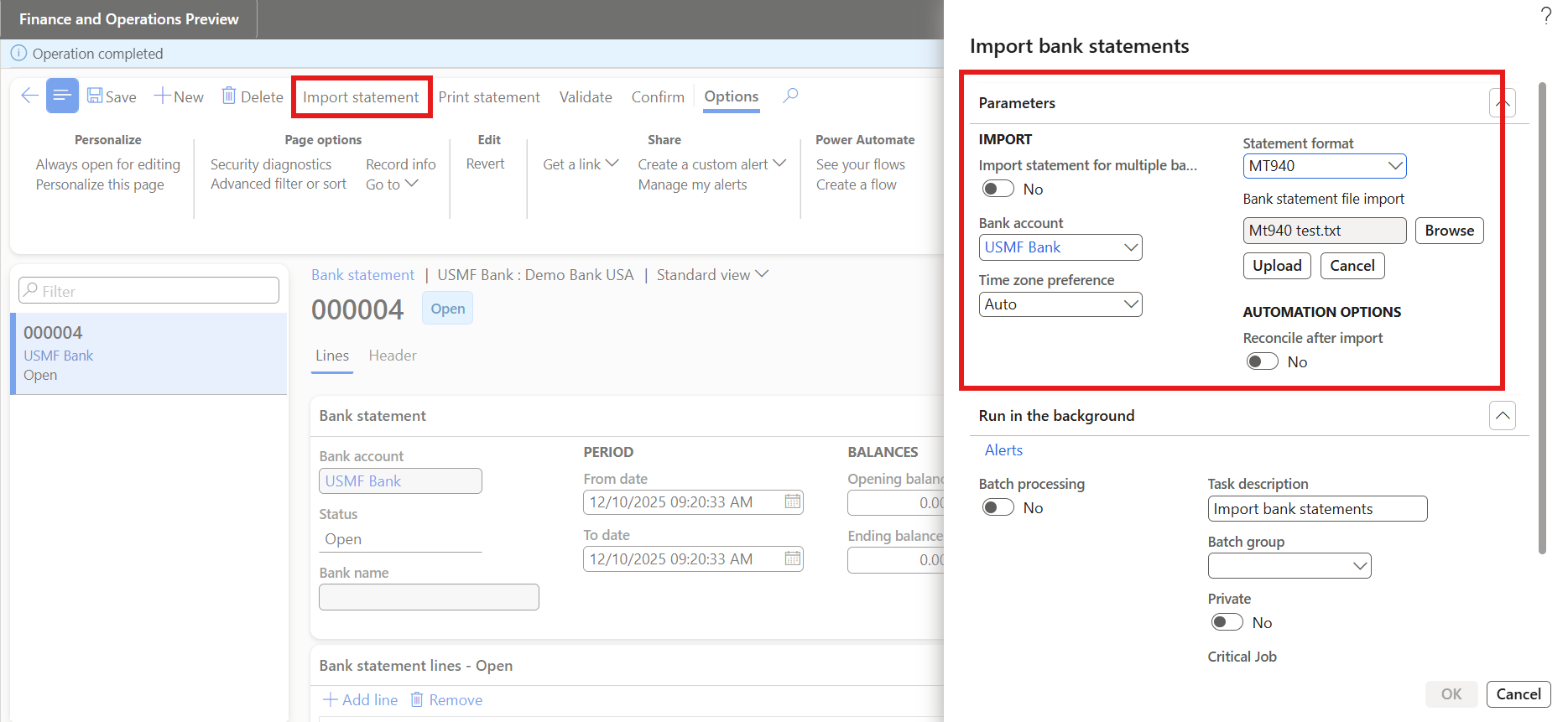
- Import the bank statement using the configured format.
- Validate the imported data and confirm the statement.
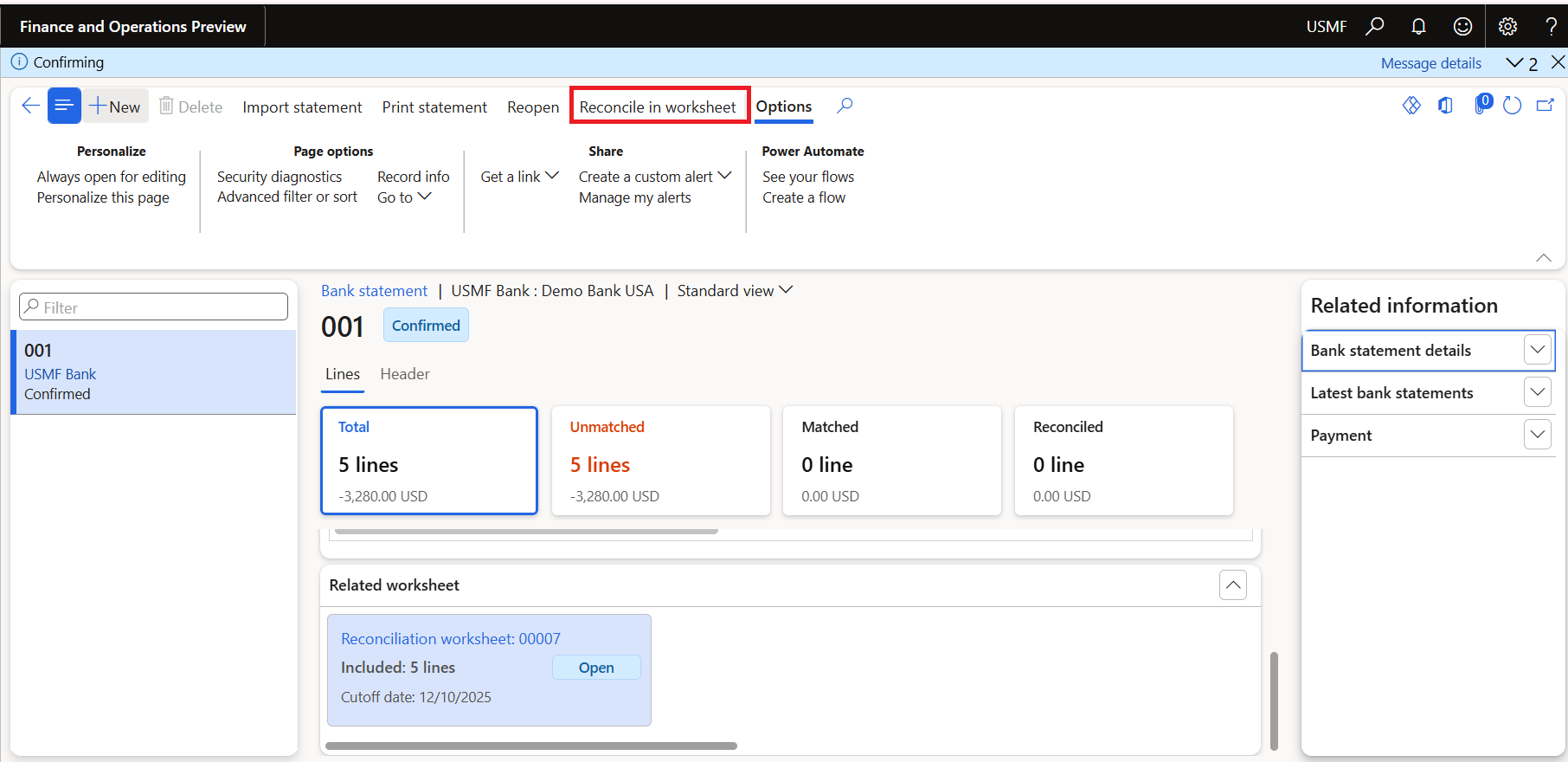
- Open the reconciliation worksheet and review matched and unmatched lines.
- Run the appropriate rule set, then investigate remaining exceptions.
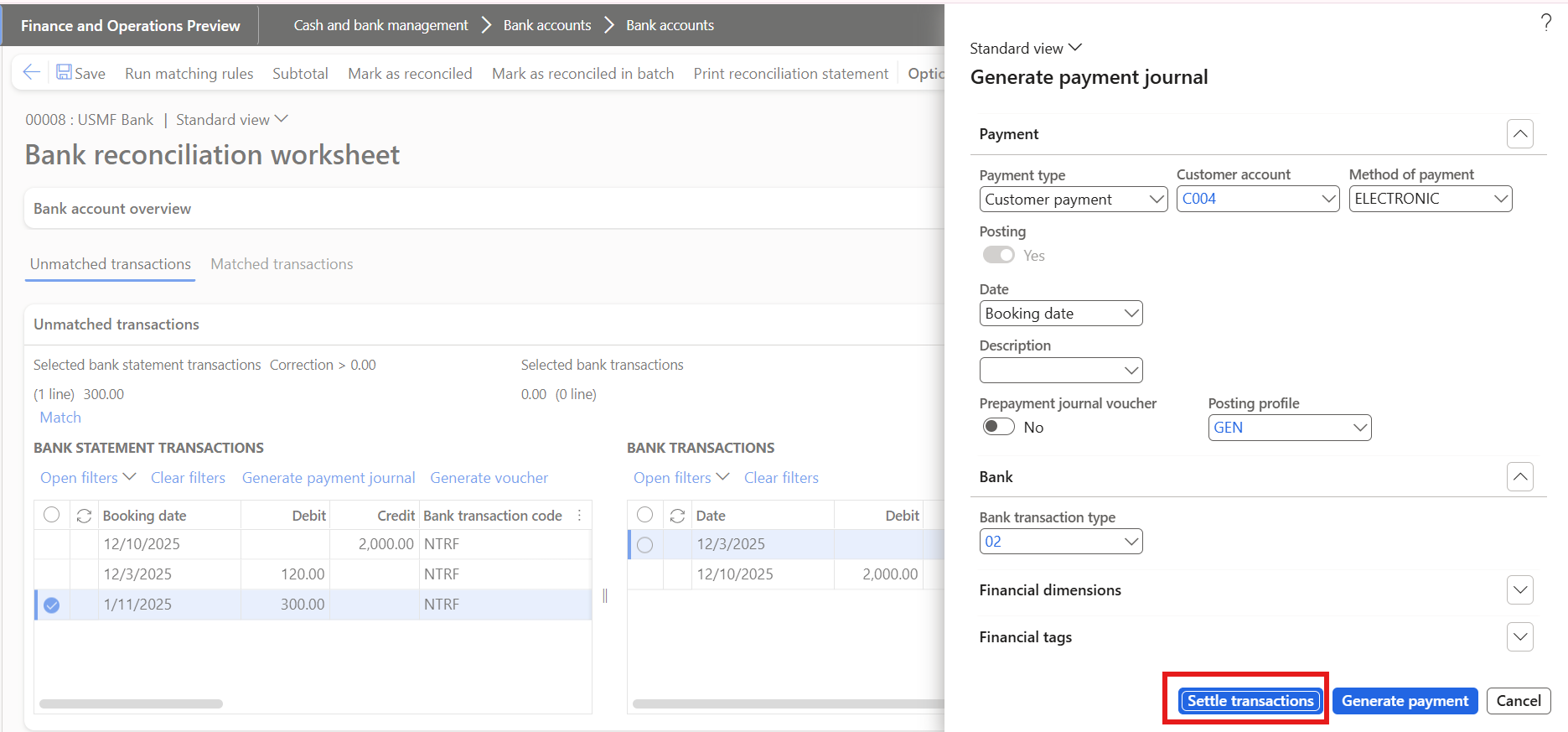
For an unrecorded receipt, a payment journal can be generated from the relevant statement line. Select the correct customer and settlement transactions, then check the resulting journal and posting outcome. Generating a journal and posting it are distinct events; the outcome depends on the action and configuration.
Keep posting controls visible
Bank fees, interest, customer receipts and vendor payments can require different handling. Verify the account, transaction type, tax treatment and settlement before accepting the result. Refunds also need the appropriate payment method and transaction context; they should not be treated as a generic matching shortcut.
Complete reconciliation only after unresolved differences have been investigated and the resulting vouchers agree with the intended treatment. Retain evidence of the rule used, any manual decision and the final posting.
Further reading
For current feature availability, prerequisites and detailed configuration, refer to Microsoft Learn.
Screenshots and scenarios are illustrative. Interface labels and available features can vary by application version and environment.